macOS native · Built with Tauri + Rust

Capture.
Annotate.
Share.

A minimal screenshot tool for macOS that stays out of your way. Press ⌘⇧S and you're done.

See it in action

Screenshot in
under a second.

Screen capture demo

Annotation editor

Mark it up,
then share.

Add arrows, rectangles, text, and highlights directly on your captures. No need to open another app. Edit, then copy or save in one flow.

Snipp Editor
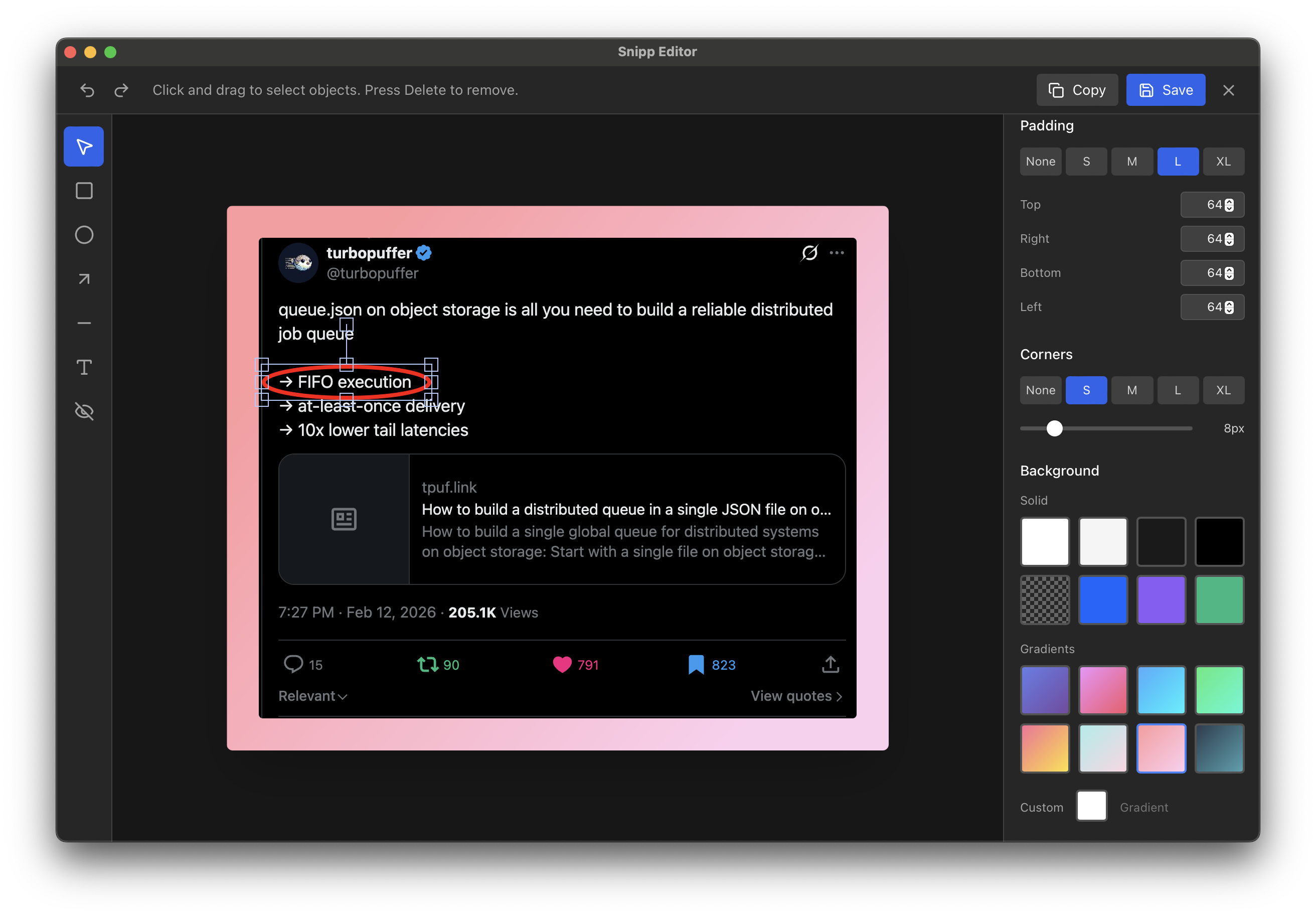
Snipp annotation editor interface

Features

Everything you need,
nothing you don't.

Global hotkeys

Press S from anywhere on your system. No need to switch apps or break your flow.

Interactive selection

Drag to select any area on screen. Powered by macOS native screencapture for pixel-precise results.

Built-in editor

Annotate captures with arrows, shapes, and text. Polish your screenshots before sharing.

OCR & redaction

Extract text from any screenshot, or redact sensitive content before sharing. Select, capture, and protect in one flow.

Clipboard integration

Screenshots are copied to your clipboard automatically. Paste directly into any app.

Auto-save

Every capture is saved to your Desktop with clean, timestamped filenames. No dialogs, no friction.

Under the hood

Native speed,
tiny footprint.

Built with Tauri and Rust, Snipp runs as a true native macOS app. No Electron bloat, no web runtime overhead. Just a lightweight process that's always ready when you need it.

Tauri + Rust

Native performance with web UI flexibility. App size under 10MB.

Always running

Background operation with minimal CPU and memory usage. Ready instantly.

Privacy first

Everything stays local. No cloud uploads, no analytics, no tracking.

Get started

Install in seconds.

Download the DMG, drag to Applications, and you're ready. Available for Apple Silicon and Intel Macs.

# After installing, remove quarantine flag:

xattr -d com.apple.quarantine /Applications/Snipp.app

Apple Silicon (M1+) Intel (x64) Universal